3.1 The Control Properties in Visual Basic 2012
Before writing an event procedure for a control in Visual Basic 2012
to response to a user’s input or action, you have to set certain
properties for the control to determine its appearance and how it will
work with the event procedure. You can set the properties of the
controls in the properties window of Visual Basic 2012 IDE at design
time or at run time. Figure 3.1 is the typical properties window for a
form. It refers particularly to interface of the first program you have
learned in the previous lesson:
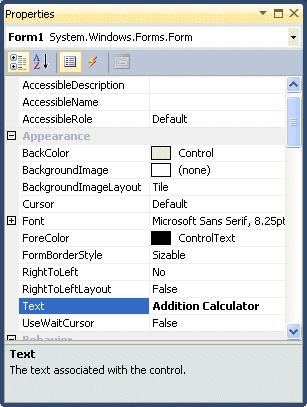
Figure 3.1

Figure 3.2
|
For example the following code will change the form color to yellow every time the form is loaded. Visual Basic 2012 uses RGB(Red, Green, Blue) to determine the colors. The RGB code for yellow is 255,255,0. Me in the code refer to the current form and Backcolor is the property of the form’s background color. The formula to assign the RGB color to the form is Color.FormArbg(RGB code). The event procedure is as follows:
Public Class Form1 Private Sub Form1_Load(ByVal sender As System.Object, ByVal e As System.EventArgs) Handles MyBase.Load
Me.BackColor = Color.FromArgb(255, 0, 255)
End SubEnd Class
You may also use the follow procedure to assign the color at run time.
Private Sub Form1_Load(ByVal sender As System.Object, ByVal e As System.EventArgs) Handles MyBase.Load
Me.BackColor = Color.Magenta
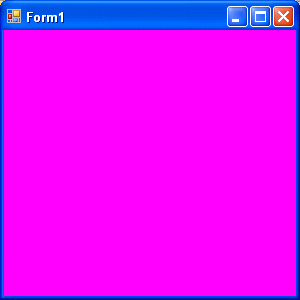
End SubBoth procedures above will load the form with a magenta background as follows:
 |

The following is another program that allows the user to enter the RGB codes into three different textboxes and when he or she clicks the display color button, the background color of the form will change according to the RGB codes. So, this program allows users to change the color properties of the form at run time.
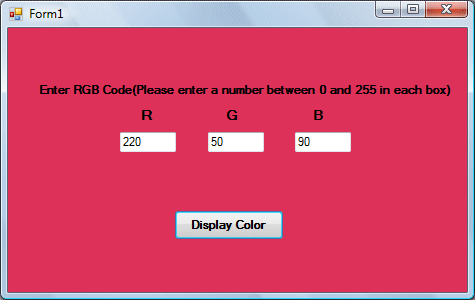
The code Private Sub Button1_Click(ByVal sender As System.Object, ByVal e As System.EventArgs) Handles Button1.Click
Dim rgb1, rgb2, rgb3 As Integer
rgb1 = TextBox1.Text
rgb2 = TextBox2.Text
rgb3 = TextBox3.Text
Me.BackColor = Color.FromArgb(rgb1, rgb2, rgb3)
End Sub